Private corpus, open protocol
The useful version of "AI memory" is not a giant prompt. It is a controlled corpus with citations, a separate encrypted vault for real credentials, and scoped tools that every approved assistant can use.
Model Context Protocol (MCP) gives AI hosts a common way to talk to external tools. In caveauAI, the MCP server is the bridge between an assistant and the corpus: the assistant can list corpora, run retrieval, fetch source documents, save durable notes, and, when explicitly authorized, retrieve a named secret from an encrypted vault.
The Four-Part Pattern
Searchable corpus
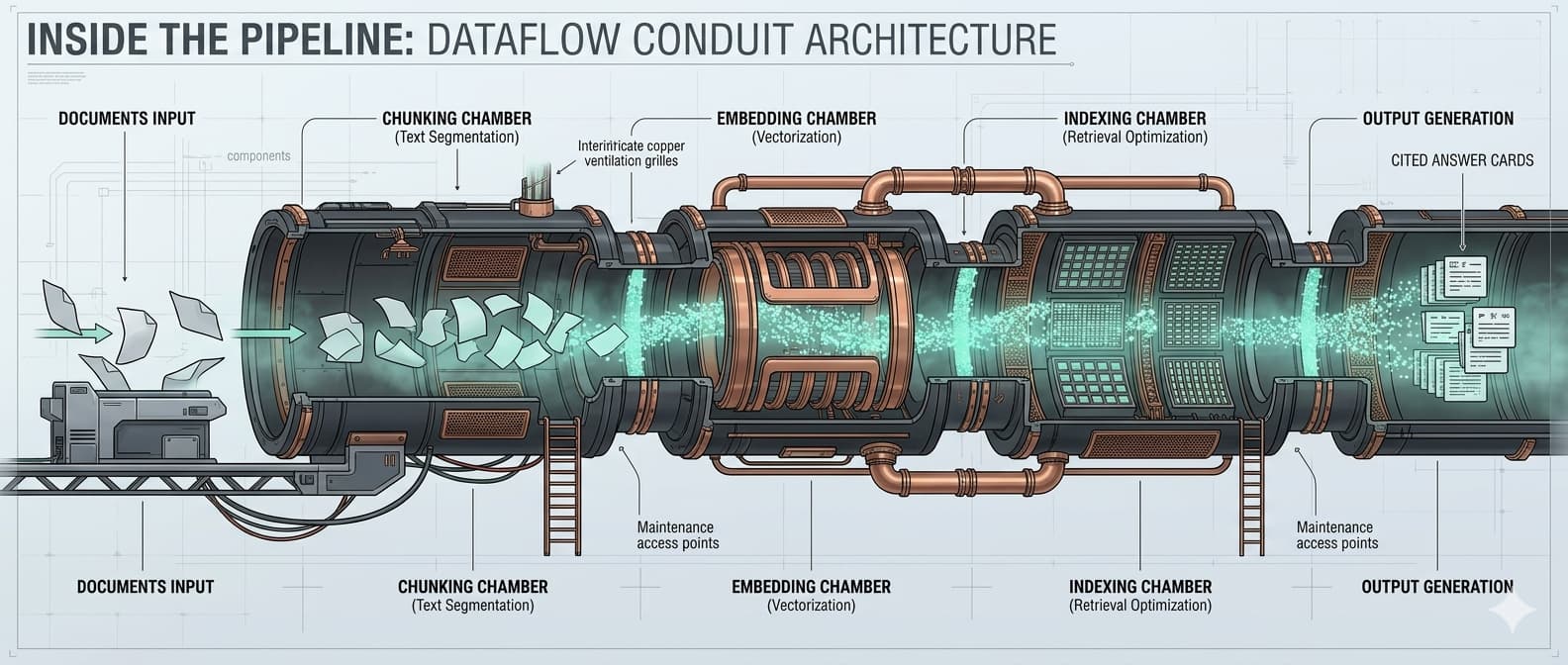
Documents, notes, policies, source summaries, ERP records, and legal material are chunked, embedded, enriched, and cited. This is where agents ask semantic questions.
Encrypted vault
API keys and passwords are encrypted at rest and fetched only by exact key. They are never chunked, embedded, indexed, or returned by semantic search.
Scoped MCP token
Each client or agent gets a token with only the scopes it needs: search, read, ingest, memory, secrets, or code access when explicitly approved.
Shared endpoint
The hosted MCP endpoint can serve several tenants because the token selects the tenant, corpus access, and available tools.
What the MCP Server Exposes
The hosted caveauAI MCP server presents a small set of tools. Which tools appear and work depends on the token scopes assigned to the client or workflow.
caveau_list_corpora
Show private and subscribed corpora available to the token.
caveau_search
Run hybrid retrieval with citations and corpus filters.
caveau_get_document
Fetch a source document by id for audit or deeper reading.
caveau_ingest_text
Add text to an allowed private corpus, plan-gated and tenant-scoped.
memory_save
Save persistent searchable notes into the dedicated memory corpus.
memory_recall
Recall decisions, conventions, and project context from memory.
memory_secret_set
Store real credentials in the encrypted vault, never in RAG.
memory_secret_get
Fetch one secret by exact key when an agent is allowed to use it.
memory_secret_list
List key names and descriptions without returning secret values.
Client Examples
All examples below use placeholders. Keep tokens in a local password manager, environment variable, workspace secret, or provider-managed OAuth flow. Do not paste production credentials into committed config files.
ChatGPT custom MCP app
ChatGPT connects to remote MCP servers through developer-mode custom apps in supported workspaces. Use the remote caveauAI MCP URL, choose the authentication method for your deployment, scan tools, test, then publish to the workspace when approved.
Server URL:
https://mcp.caveauai.bluenotelogic.com/mcp

Suggested first prompt:
Use the caveauAI memory app to recall the architecture decisions for the ERP connector, then summarize the open questions with citations.Codex CLI / Codex coding sessions
Register the hosted caveauAI server once, then let Codex call memory and retrieval tools during coding work. Keep the token in an environment variable or local secret store rather than in source control.
setx BNL_MEMORY_MCP_TOKEN "paste-token-locally"

codex mcp add bnl-memory-http \
  --url https://mcp.caveauai.bluenotelogic.com/mcp \
--header "Authorization: Bearer %BNL_MEMORY_MCP_TOKEN%"Claude Code project or user scope
Claude Code can add remote HTTP MCP servers with an authorization header. Project scope writes a shareable .mcp.json; user scope keeps the server private to one developer account.
claude mcp add --transport http --scope user bnl-memory \
  https://mcp.caveauai.bluenotelogic.com/mcp \
--header "Authorization: Bearer YOUR_LOCAL_TOKEN"GitHub Copilot agent mode in VS Code
VS Code can load MCP servers from a workspace .vscode/mcp.json or a user profile configuration. Use input variables or environment files for tokens; do not hardcode credentials in committed JSON.
{
  "servers": {
    "caveauai-memory": {
      "type": "http",
      "url": "https://mcp.caveauai.bluenotelogic.com/mcp",
      "headers": {
        "Authorization": "Bearer ${input:bnlMemoryToken}"
      }
    }
  },
  "inputs": [
    {
      "id": "bnlMemoryToken",
      "type": "promptString",
      "password": true,
      "description": "caveauAI MCP token"
    }
  ]
}Cursor and other MCP-aware editors
Editors that support MCP can use the same remote endpoint and bearer token pattern. If an editor expects stdio only, run a small local proxy or use the caveauAI stdio package configured with CAVEAU_BASE_URL and CAVEAU_API_TOKEN.
{
  "mcpServers": {
    "caveauai-memory": {
      "url": "https://mcp.caveauai.bluenotelogic.com/mcp",
      "headers": {
        "Authorization": "Bearer ${CAVEAU_MCP_TOKEN}"
      }
    }
  }
}Workflow agents and private copilots
Internal agents can call the same MCP server through their host runtime. Give each workflow a dedicated token so a documentation bot can search and read, while a deployment bot can recall memory but cannot fetch secrets unless that is part of its job.
POST /mcp
Authorization: Bearer <workflow-scoped-token>
Content-Type: application/json

{
  "jsonrpc": "2.0",
  "id": 1,
  "method": "tools/call",
  "params": {
    "name": "memory_recall",
    "arguments": { "query": "deployment checklist for caveauAI MCP" }
  }
}Suggested Scopes
- Documentation assistant: read + search. It can answer with citations but cannot write memory or fetch secrets.
- Coding assistant: read + search + memory. It can remember decisions and recall previous implementation notes.
- Ingestion workflow: ingest + read for the target corpus. It can add approved documents but does not need secret access.
- Deployment agent: memory + secrets only when the workflow genuinely needs named credentials. Keep those tokens narrow and revocable.
- Code repository assistant: code access only for repositories where raw source retrieval is approved. Summary-only access is safer for most users.
Operational Notes
Use one token per tool, person, or workflow rather than one master token. Token prefixes make audit logs readable without exposing the token. Rotate tokens when a contractor leaves, when a laptop is replaced, or when a workflow changes responsibility.
For HTTP MCP, prefer the Streamable HTTP transport where clients support it. Local stdio remains useful for developer machines and private scripts, especially when credentials should come from environment variables instead of remote headers.